Configuring TAPD(Beta)
Visit config-ui: http://localhost:4000 and go to Connections page.
Step 1 - Add Data Connections
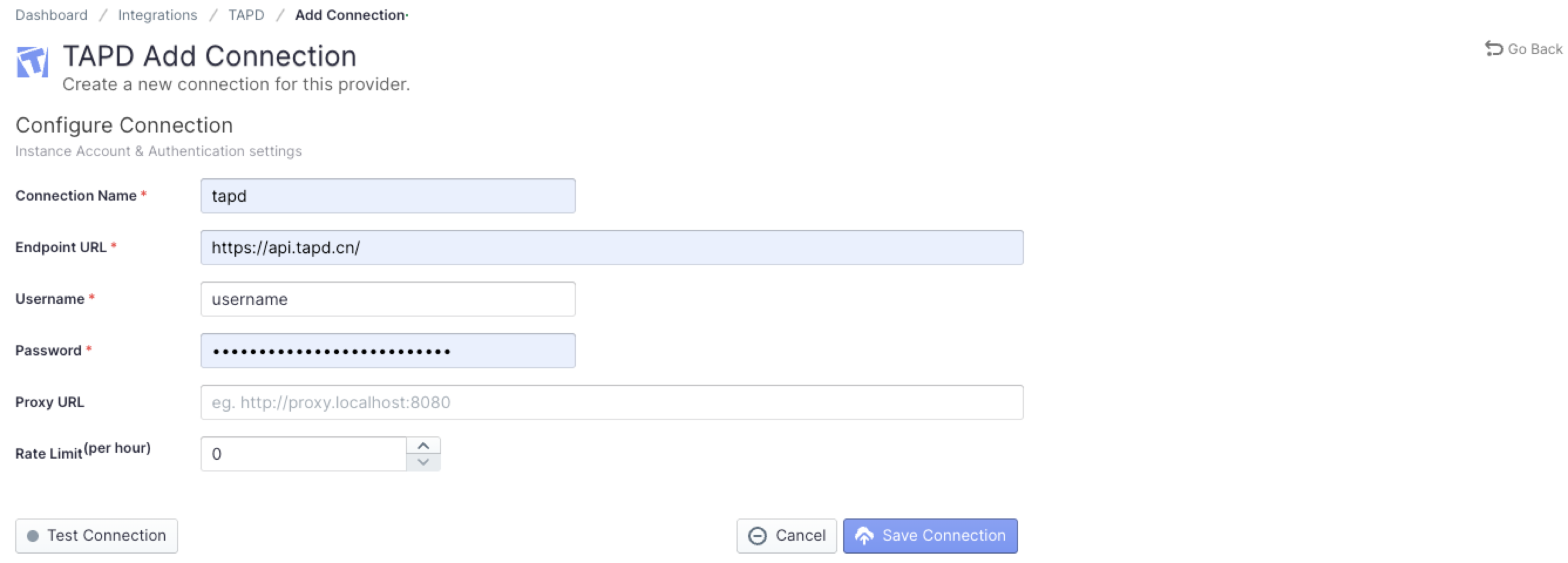
Connection Name
Name your connection.
Endpoint URL
This should be a valid REST API endpoint
https://api.tapd.cn/The endpoint url should end with/.
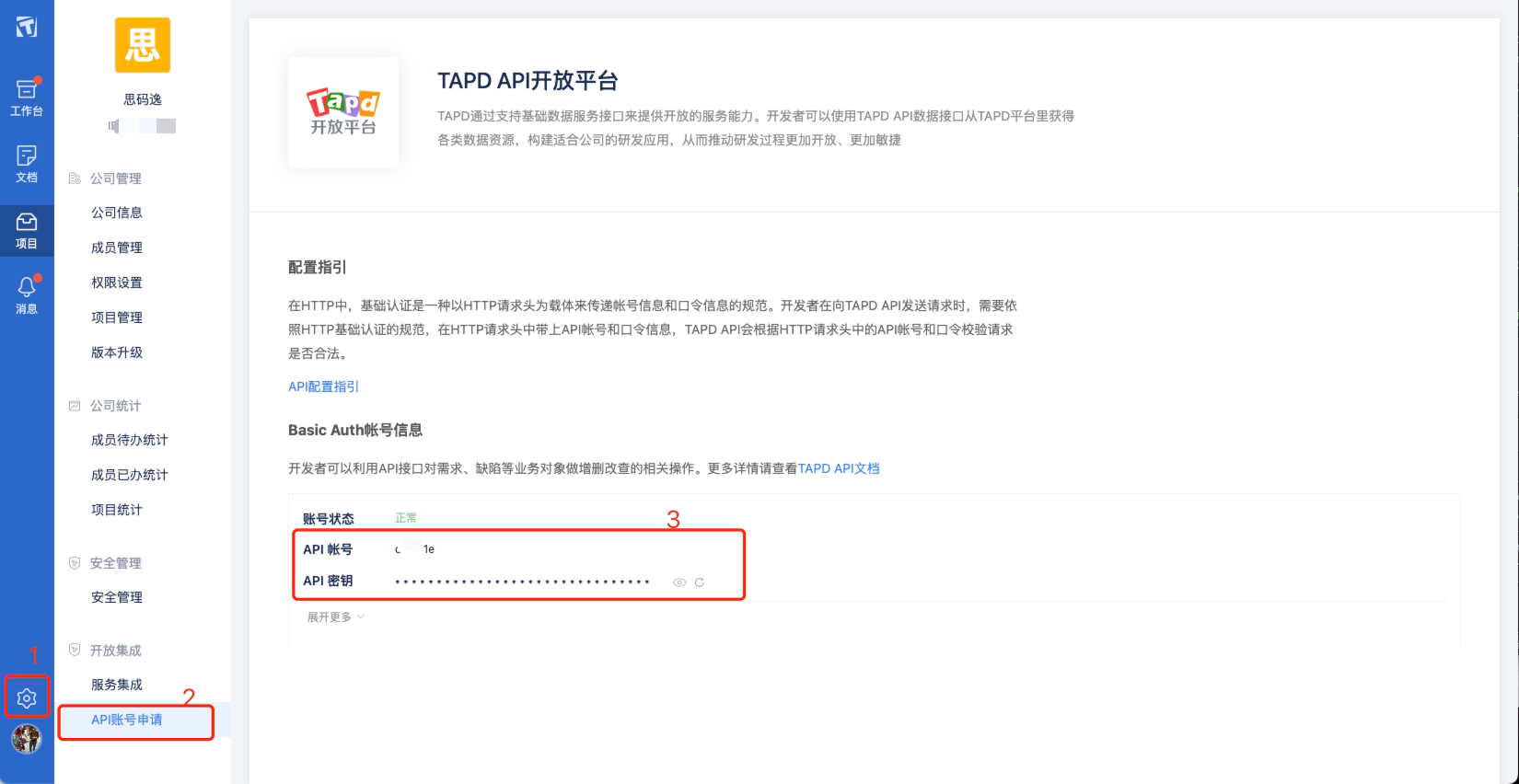
API Account / API Token
Input the API Account and API Token of your Tapd account, you can follow the steps as below.
Proxy URL (Optional)
If you are behind a corporate firewall or VPN you may need to utilize a proxy server. Enter a valid proxy server address on your network, e.g. http://your-proxy-server.com:1080
Rate Limit (Optional)
For TAPD, we suggest you setting the rate limit to 3000
Test and Save Connection
Click Test Connection, if the connection is successful, click Save Connection to add the connection.
Step 2 - Configure Blueprint
Similar to other beta plugins, TAPD does not support project, which means, you can only collect TAPD data via blueprint's advanced mode.
Please go to the Blueprints page and switch to advanced mode. See how to use advanced mode and JSON examples.
Troubleshooting
If you run into any problem, please check the Troubleshooting or create an issue